01
Every document, one live queue
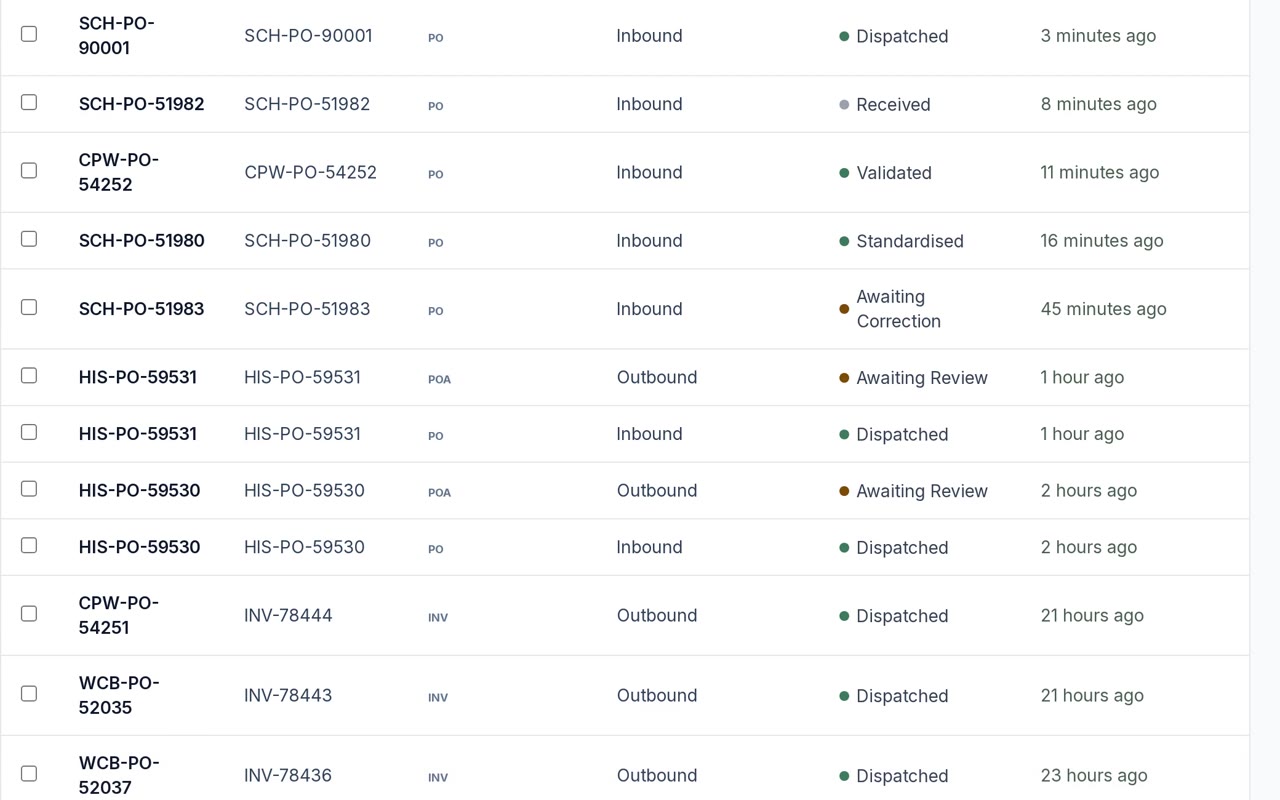
Orders, acknowledgments, ship notices and invoices in a single list, with the status that matters on each: received, validated, standardised, dispatched. Filter by partner, type or day.

EDI/We build and run it for you.
Most EDI tools move a file from A to B. DataShift follows the whole order, from purchase order to final invoice, and tells you when something doesn't add up. A purchase order arrives and becomes a sales order, the acknowledgment goes back, the ship notice is built from the fulfilment, and the invoice follows it.
Every partner's format is mapped to one canonical model, so a new partner is a mapping, not a custom project. Each document is validated before anything is created in your account, and one that fails is held whole and raised as an exception, so nobody gets a half-built sales order to unpick.
Each partner is configured as an accessor with its own identifier and credentials. Tell us who you trade with and we'll tell you what's involved.
The same partners summary and documents table your team sees in the app. The status dot follows one rule: only dispatched is success, validated and standardised are progress, the awaiting states are warnings, and denied or orphaned are errors.
What EDI does
Six things that happen between your trading partner's system and yours, shown on the real product with fictional data.
01
Orders, acknowledgments, ship notices and invoices in a single list, with the status that matters on each: received, validated, standardised, dispatched. Filter by partner, type or day.
02
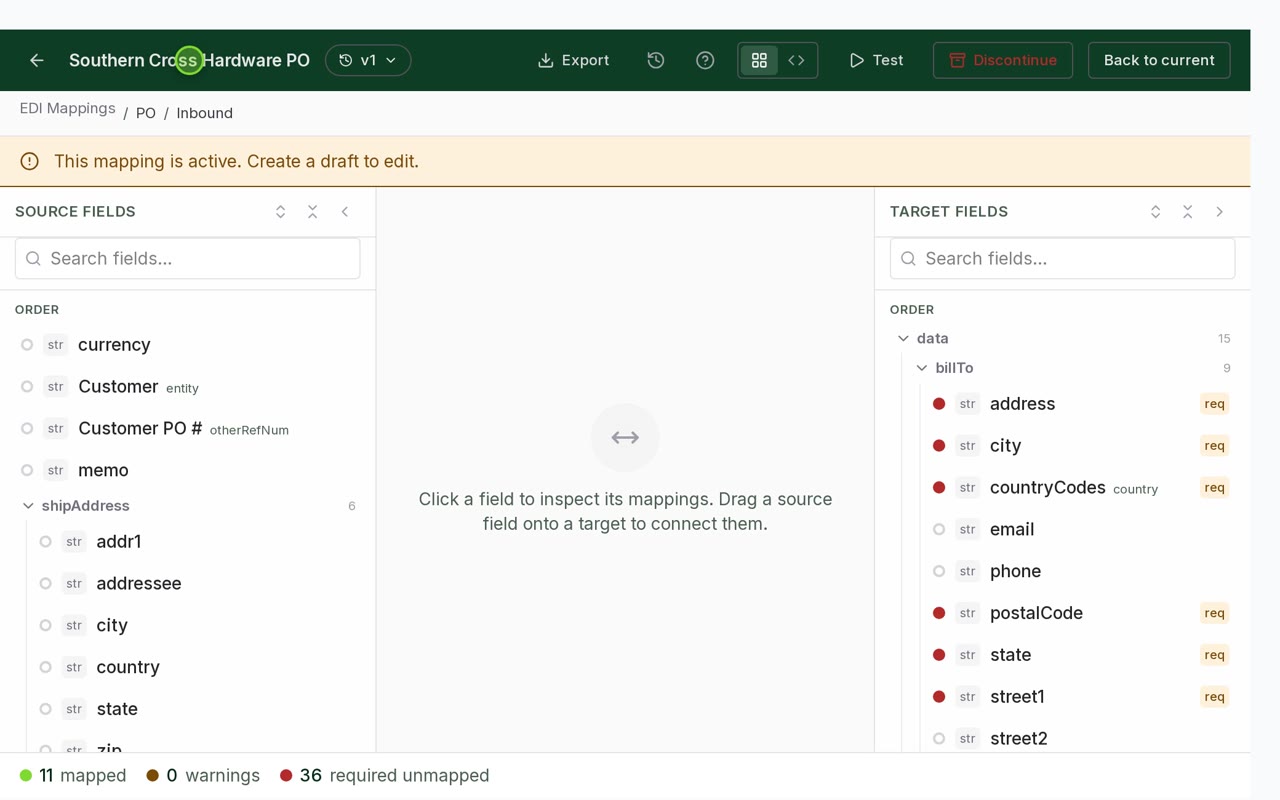
Each partner's fields are mapped to your ERP record once, in a visual mapper that counts what is mapped and what still isn't. We build it. You can read every line.
03
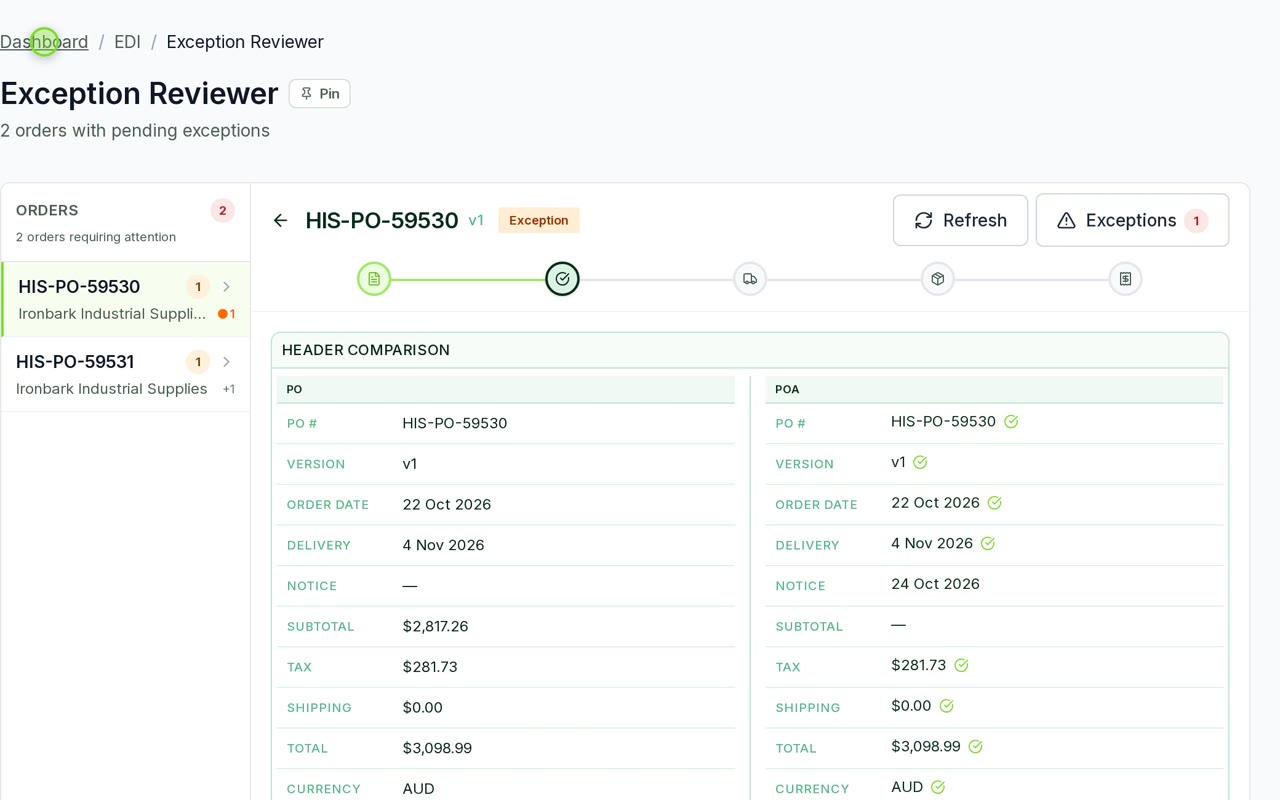
A document that fails validation is held in one piece. The reviewer shows the document, the mismatch and the fix, and reprocesses it without leaving the page.
04
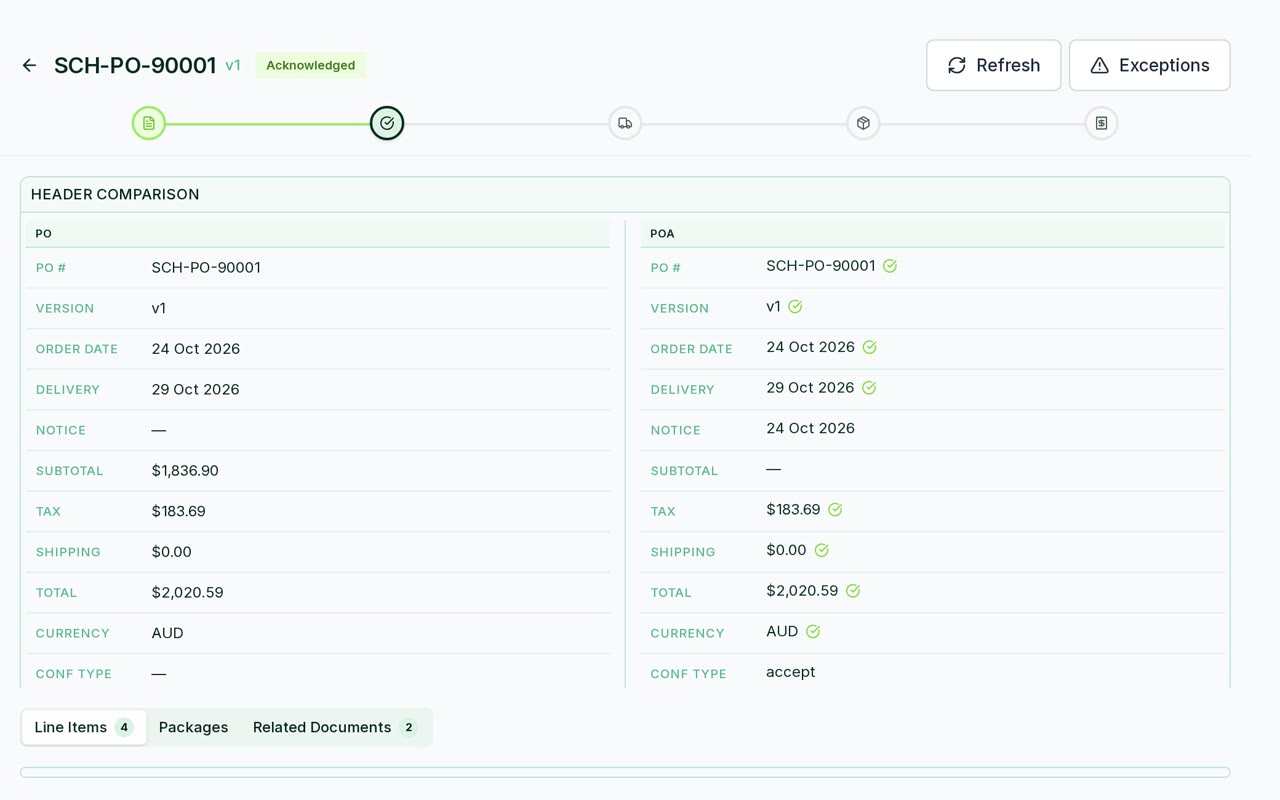
What you confirmed against what was ordered: dates, quantities, prices and totals side by side, with a tick on every match and a flag on every difference. You set what counts as a variance, and anything outside it waits for a person.
05
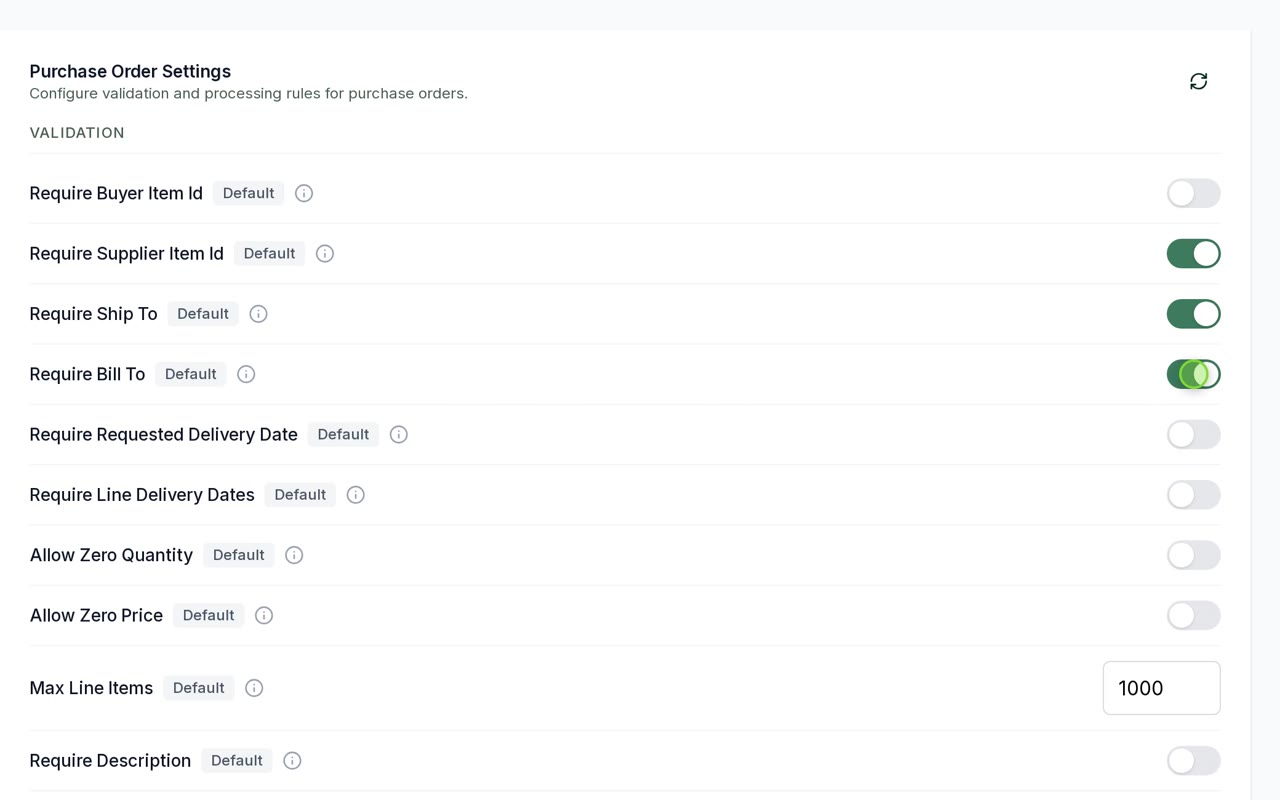
Require a ship-to, allow zero-price lines, cap the line count, decide what happens on a variance. Each document type has its own rules, and you change them yourself.
06
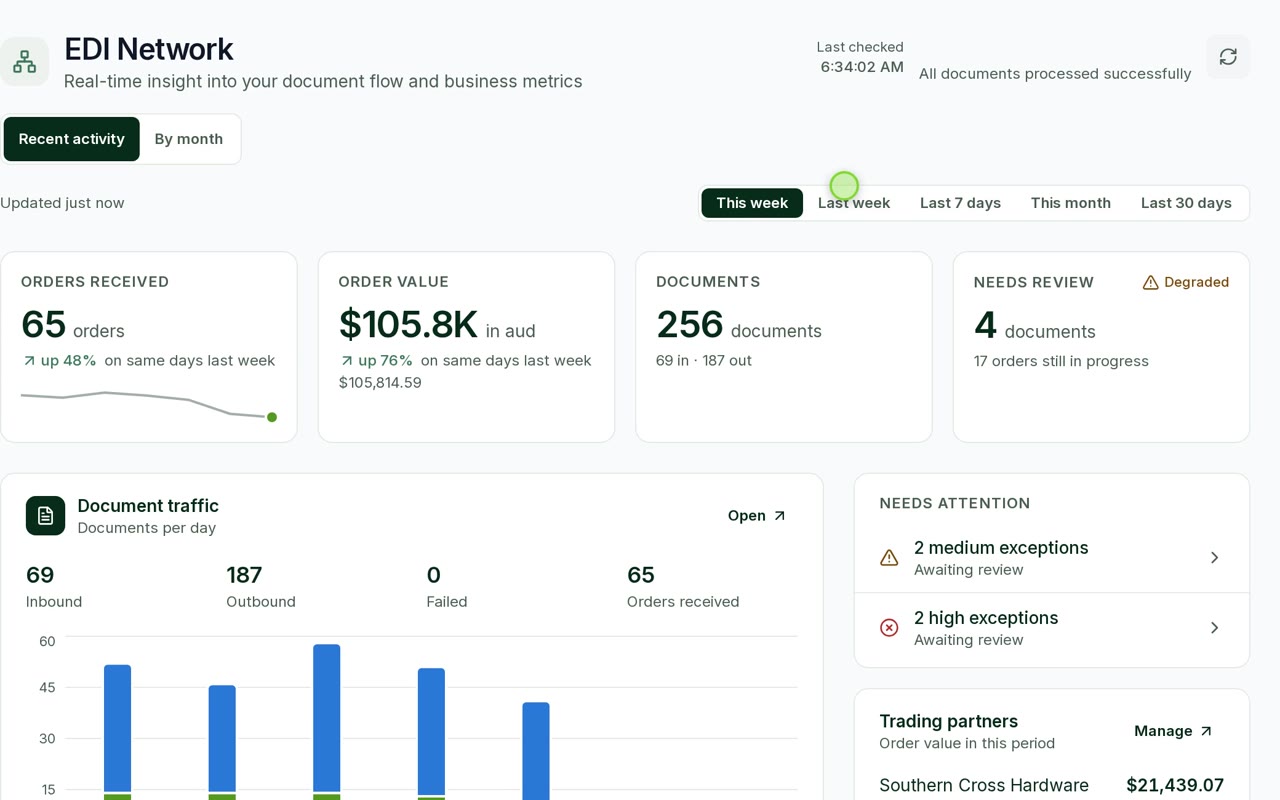
Orders, value, documents in and out, and what needs a person, for the week or the month. The same numbers your team sees in the app.
The app names them the way your partners' guides do, and each one has a viewer that shows you the document as we understood it rather than only the raw segments. If a partner needs a type that isn't here, ask. Adding one is work, but it isn't research.
Inbound. Becomes a sales order, with item cross-reference and price checks before it lands.
Outbound. Accepted, backordered or rejected, line by line.
Outbound, built from the fulfilment rather than typed again.
Outbound, reconciled against what they acknowledged.
How it works
Partners send
Documents arrive securely at your DataShift endpoint, as cXML or JSON.
We validate
Every document is checked against its schema and your business rules first.
We standardise
Each partner's format is mapped to one canonical model.
Your ERP receives
The document is delivered into your ERP and tracked to completion.
The order's own progress
Underneath the documents, each order moves through five stages. This is the app's own component, so what you see here is what your team sees on the order.
Partial states are real states: partially shipped and partially invoiced both exist, and so does exception, which is where an order sits when a document was held.
Partners send malformed documents. Items get renamed on their side and not yours. Prices disagree by five cents. This is most of the actual work, and it decides whether EDI is quiet or a daily chore.
A document that fails validation is held in one piece and raised as an exception. Nobody gets a partial sales order to unpick. There's a review screen for the held ones, so the person fixing a cross-reference can see the document, fix the mapping and reprocess it in the same place.
The statuses are deliberately specific about this. Validated and standardised mean progress, not success. Awaiting review, awaiting correction and awaiting document are three different problems. Orphaned and denied are two more. Only dispatched means it left.
Pricing
Tell us who you trade with and how many orders you get. Slide to your volume, watch it turn into documents, and we reply with a written quote.
EDI
Scoped to you
Quoted in writing before any work starts.
No standard price list, because no two businesses look alike. You get one clear number, and you can walk away from it.
Get the partner's implementation guide. Everything we can tell you depends on it, and asking them for it is the slowest step.
Know whether your item codes match theirs. If they don't, someone has to build the cross-reference, and that someone knows your products better than we do.
docs.datashift.com.au
Versioned JSON Schema and OpenAPI for purchase orders, acknowledgments, ship notices and invoices, plus the validation rules and every error we can raise.
Questions
A document that fails validation is held in one piece and raised as an exception, so nobody gets a partial sales order to unpick. There is a review screen for the held ones, so the person fixing a cross-reference can see the document, fix the mapping and reprocess it in the same place.
The acknowledgment is compared with the original order field by field: dates, quantities, prices and totals. You set what counts as a variance in the EDI settings, and anything outside it is held for a person to approve or reject, with the differences laid out. Nothing is guessed at.
cXML and JSON today. Each partner is mapped to one canonical model, so a new partner is a mapping rather than a custom project. If your partners use something else, tell us what and we will say whether it is built or whether it is work.
Yes. Purchase orders land in your ERP as sales orders, and the acknowledgment, ship notice and invoice are built from its records and sent back out, so your team keeps working where they already work. We connect to NetSuite today; ask us about your system.
We build and run the mappings with you. After that your team can adjust them in the mapping editor, with suggested field matches, live testing against sample documents, export, and version history to roll back to, and no code deployment.
Documents are stored encrypted in Australia. Access is role-based with two-factor sign-in, and every document and order is visible in one place, with a full audit trail.
Four: the purchase order (EDI 850) inbound, which becomes a sales order with item cross-reference and price checks; the acknowledgment (EDI 855) outbound, accepted, backordered or rejected line by line; the ship notice (EDI 856) outbound, built from the fulfilment; and the invoice (EDI 810) outbound, reconciled against what the partner acknowledged.
Validated and standardised mean progress, not success. Awaiting review, awaiting correction and awaiting document are three different problems, and orphaned and denied are two more. Only dispatched means the document left.
The partner's implementation guide, because everything else depends on it and asking them for it is the slowest step, and an answer on whether your item codes match theirs. If they do not, someone has to build the cross-reference. If you have one partner and four orders a week, EDI is probably not worth it yet.
We'll read it and tell you what it takes, which parts of it are unusual, and where your item codes are going to cause trouble. Including when the answer is that you don't need us.
The rest of the range
Carton and product labels off the sales order. Free to 250 a month.
Live rates from every carrier account you hold, then book and print.
Scheduled pipelines out of your ERP into storage Power BI can read.
The customer's record and their open orders while the phone is ringing.
Push print jobs directly to your registered DataShift print devices.